MyThumbTester guide
Can two thumbnails with the same dimensions have different file sizes?
Yes. A reproducible local PNG experiment separates image pixel dimensions from encoded file bytes before a thumbnail preview.
Yes—pixel dimensions do not determine encoded file size
Two thumbnails can have the same pixel dimensions and different file sizes. In our reproducible local experiment, two generated 1280 × 720 PNGs used the same 8-bit RGB format, unfiltered rows, and compression level: a solid-color image encoded to 3,756 bytes, while a seeded pseudorandom-color image encoded to 2,766,428 bytes. Both PNG headers report the same dimensions. This demonstrates the difference between pixel geometry and compressed file bytes; it is not an audience test. MyThumbTester does not predict CTR, rankings, distribution, or views.
These are measured outputs from synthetic image buffers generated with Node v24.19.0 and its bundled zlib, not creator uploads, platform recompression results, or claims about typical thumbnails. Compression-library versions can change the exact byte counts.
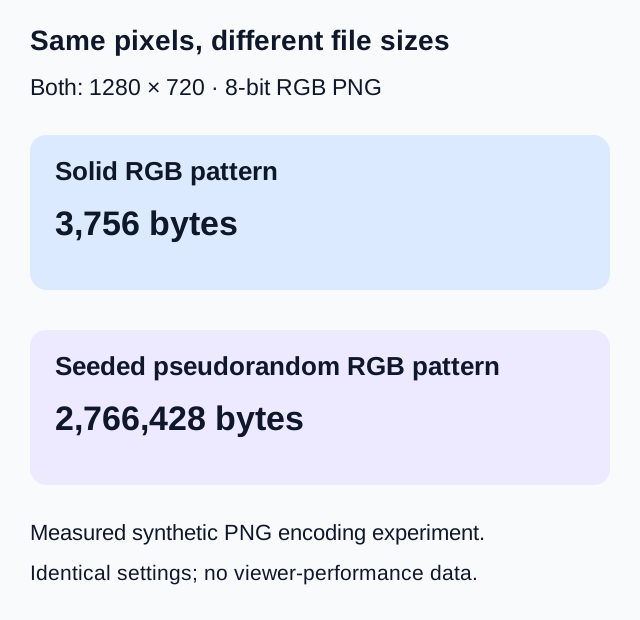
What the experiment holds fixed
The local generator creates both valid PNG byte streams in memory. It keeps width, height, RGB bit depth, row-filter choice, compression level, and PNG chunk structure fixed. One image repeats the same RGB byte value. The other uses a fixed-seed pseudorandom sequence. It then reads dimensions from each generated PNG header and measures the complete encoded buffer length.
The repeating image is easier for this compression method to encode compactly. The experiment is intended to isolate the distinction; it does not compare the visual quality of two designs or recommend adding or removing detail for a performance outcome.
Check both dimensions and bytes before previewing
When reviewing a real local file, read its pixel dimensions and file size as separate properties. MyThumbTester checks the file type and byte size before decoding a local image, then reports decoded pixel dimensions after a successful load. A smaller byte count does not guarantee a smaller image frame, and equal dimensions do not guarantee equal file sizes.
The tester's local byte limit and supported input types belong to this tool. Check the destination platform's current requirements separately when preparing a final upload. A successful local preview does not validate another platform's upload rules.
Keep the source file separate from the review export
Download PNG creates a new review canvas containing the selected layout, title, and context. Its dimensions and byte count describe that exported canvas rather than the original thumbnail file. Keep your source image with the project and use its own properties when checking the upload asset.
For a local reproduction, the generator is supplied below. Run it with Node to generate the two image buffers and print their dimensions, byte lengths, and hashes; it does not read your files or upload anything. Download the experiment script.